Gallery
Screenshots of the Tesserae admin UI in action: composing dashboards, integrating with Home Assistant, and how a single widget handles being dropped into different cell sizes.
For panels in domestic context, see the README hero image. For the per-widget grid, see the bundled widget gallery or the community catalog.
Inside Home Assistant
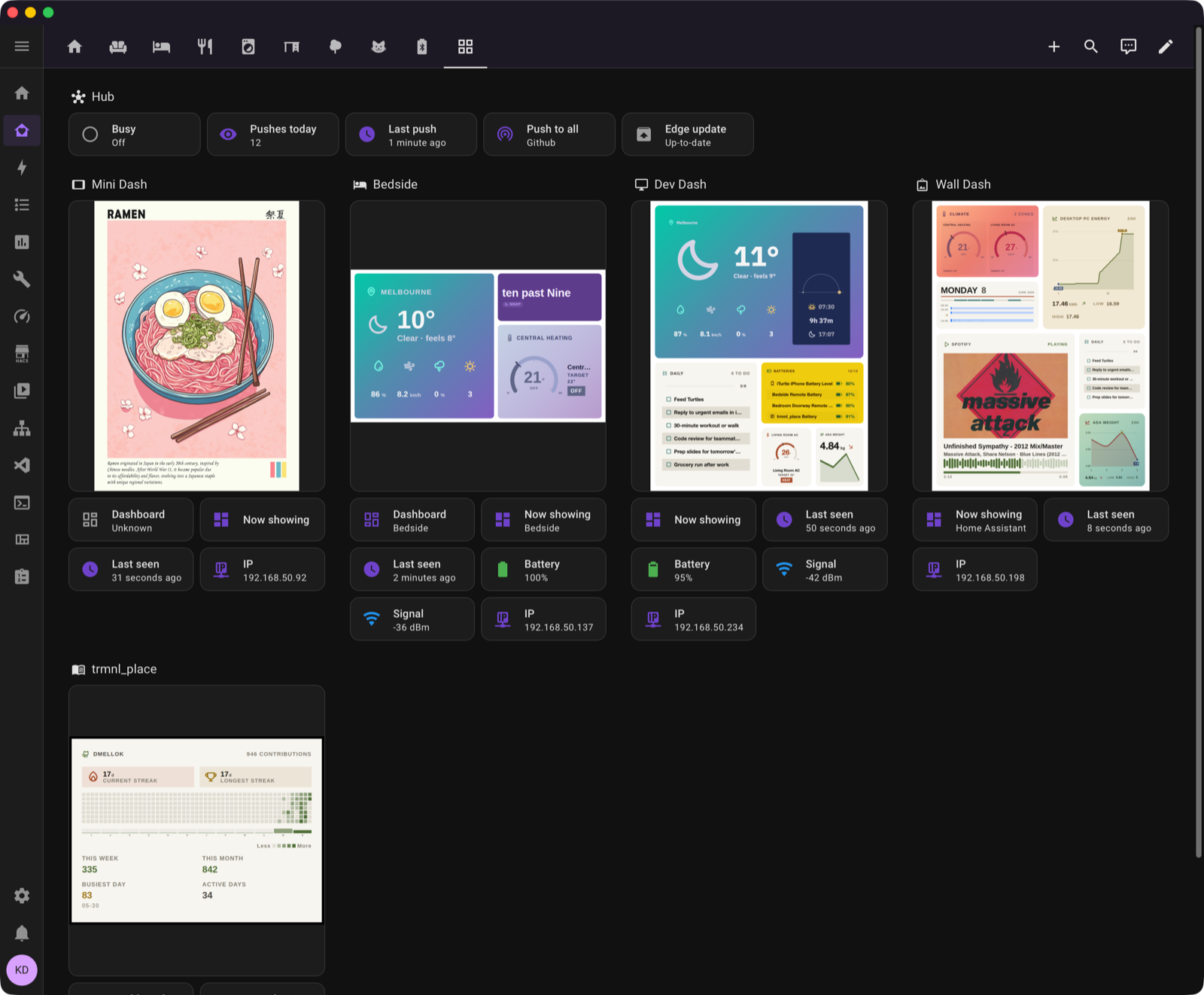
Tesserae lives inside HA. The Hub tile plus one device card per panel, each pulling its live image entity, battery, signal, and IP.
Composing a dashboard
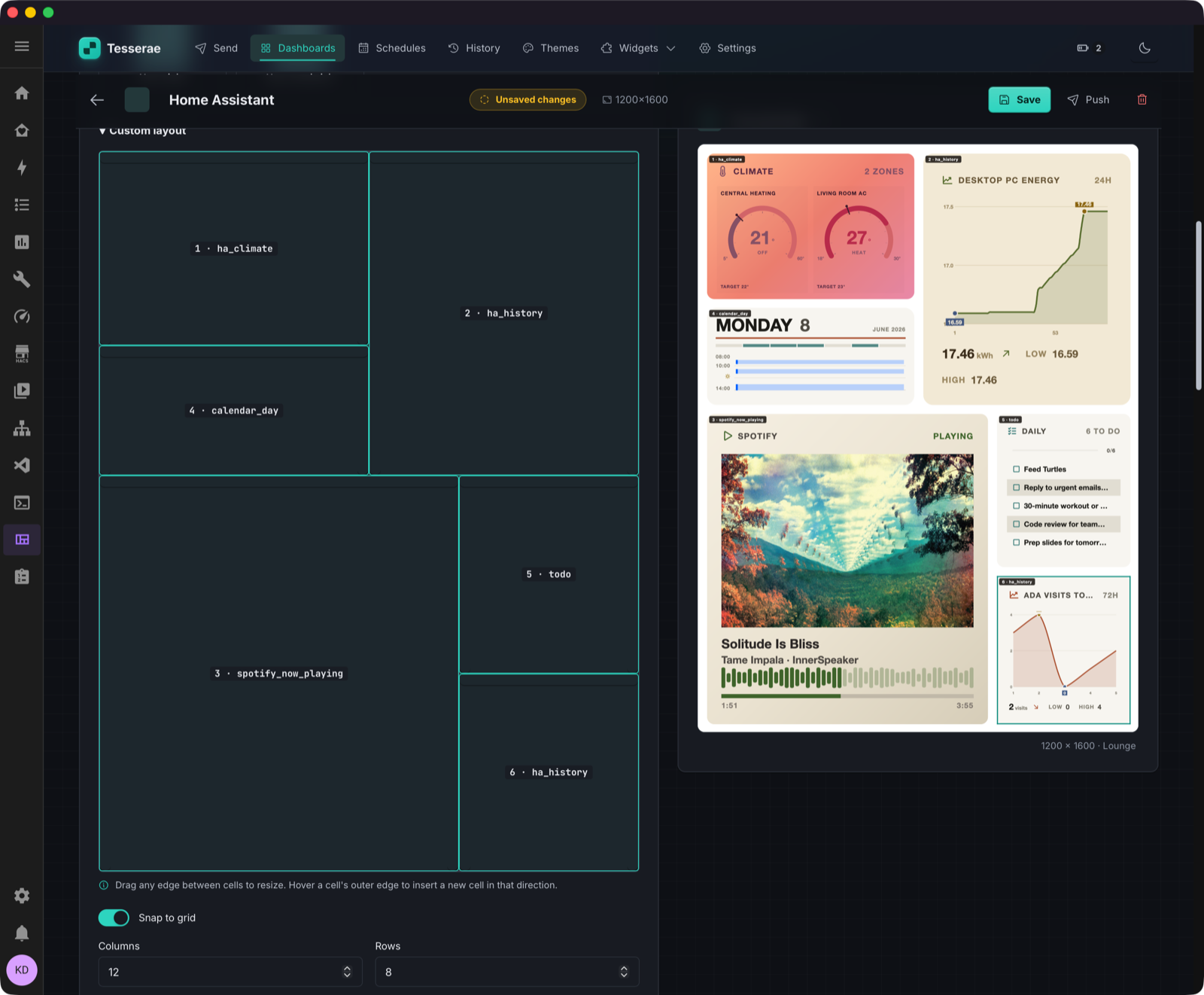
Composing a dashboard. Cell grid on the left, live preview on the right with HA widgets (climate gauges, history, calendar, Spotify, todo).
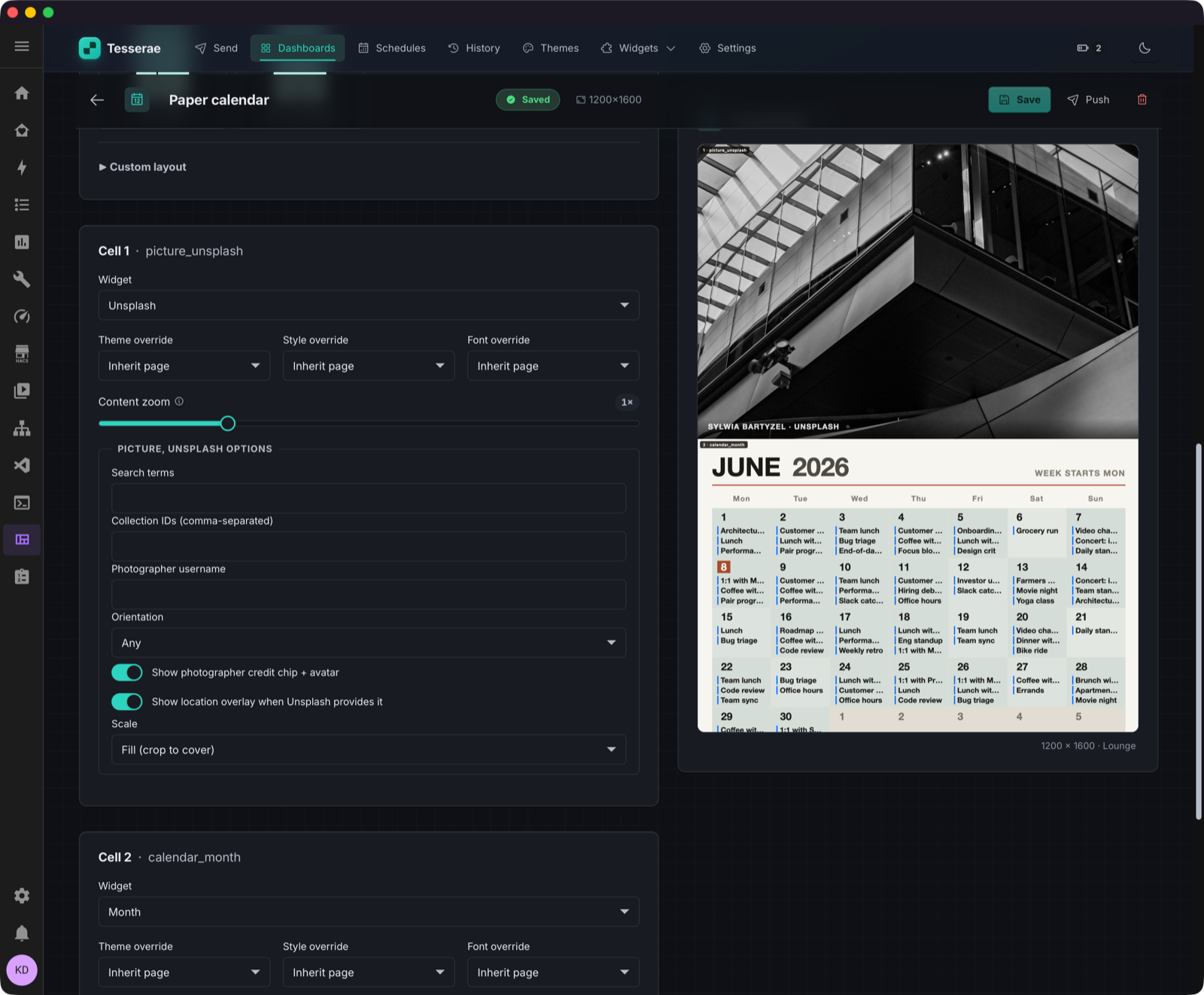
"Paper Calendar" dashboard, full-bleed Unsplash photo + month grid, rendered at 1200×1600 for an Inky 13.3".
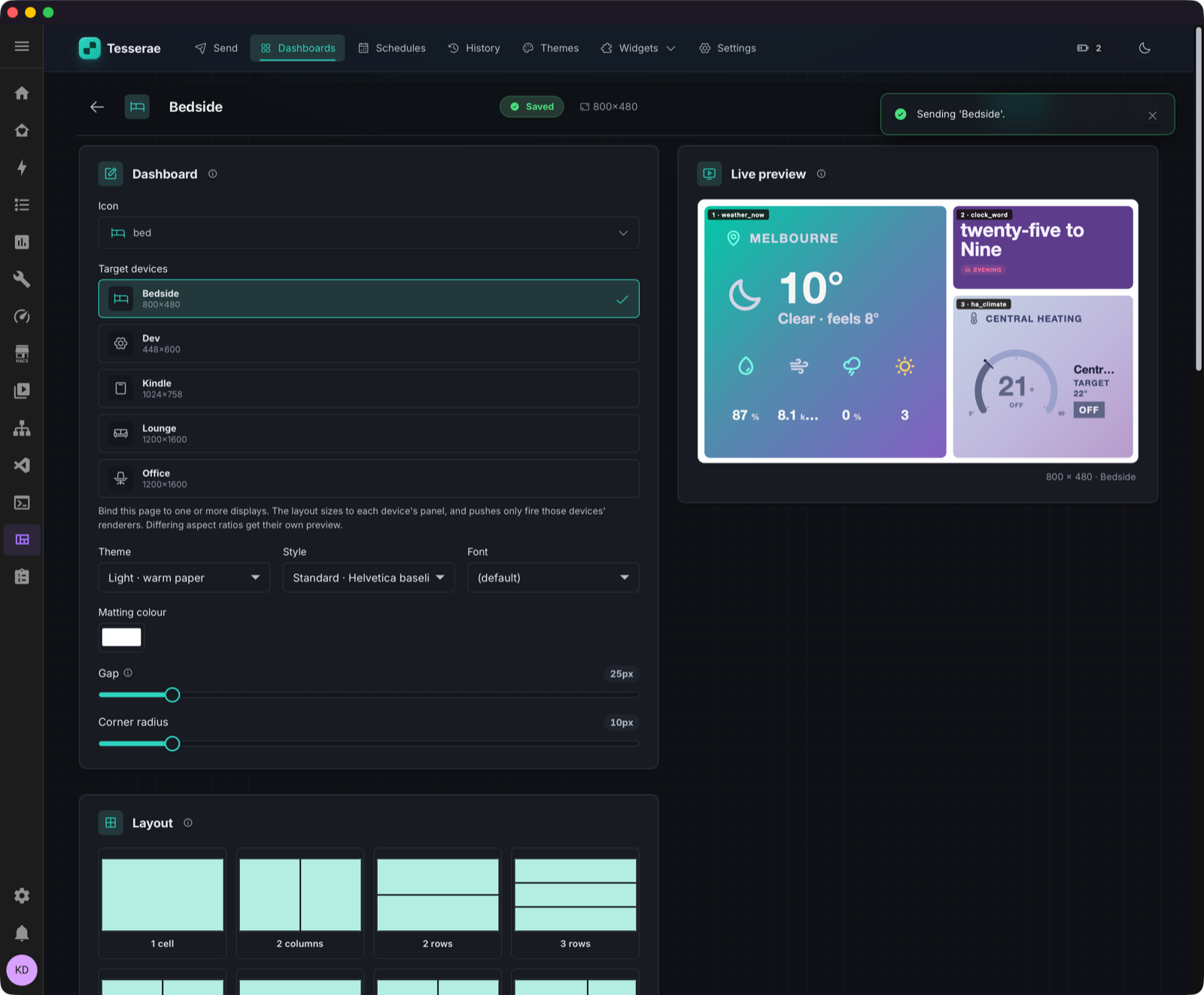
Bedside dashboard with two of the gradient themes, mid-send.
One widget, every cell size
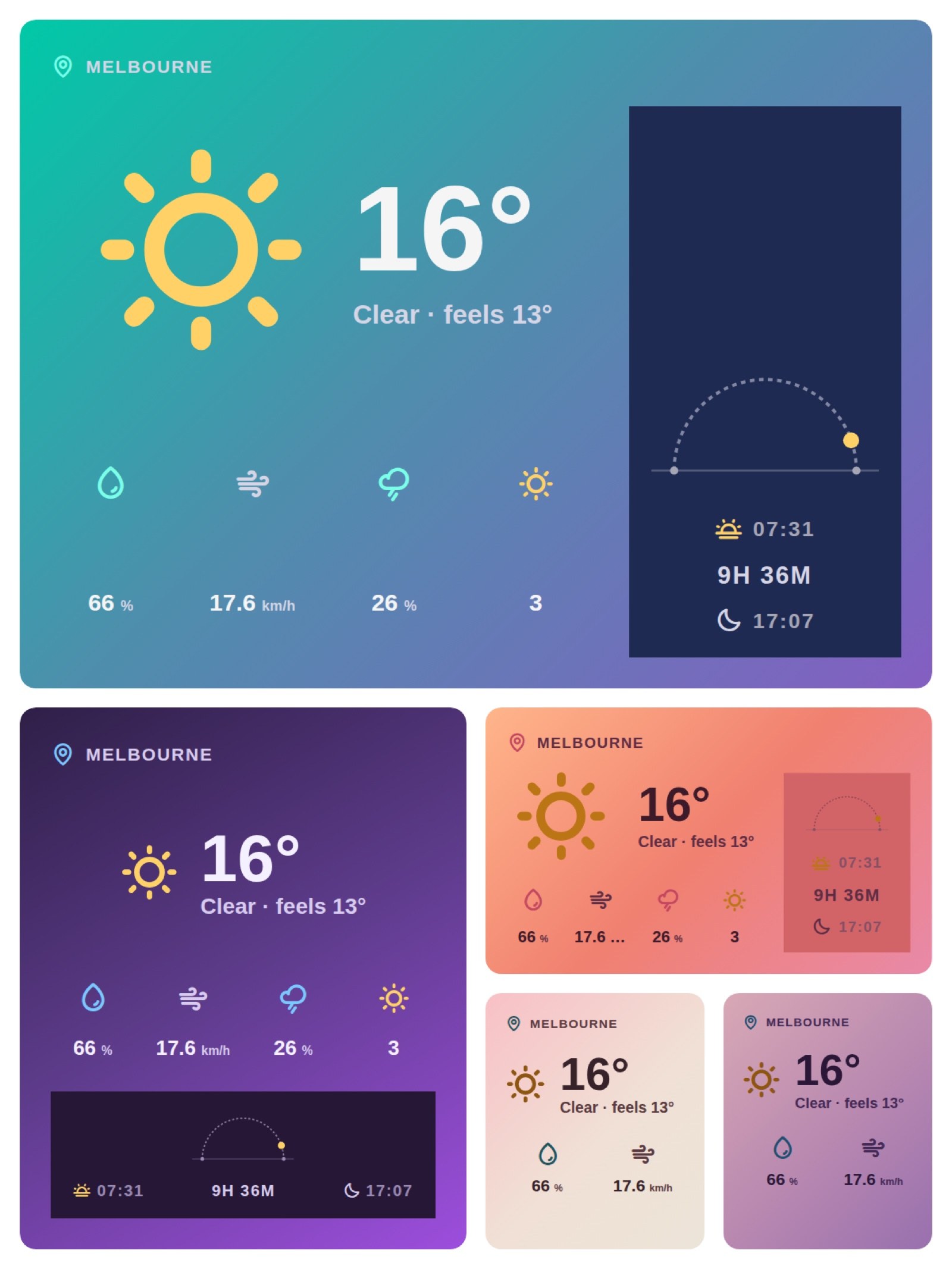
The same weather_now_scenic widget at four cell sizes. Widgets use CSS container queries to redistribute content as the cell shrinks, so one widget composes across every layout instead of shipping size-specific variants.